Want to build your own Murder Mystery 2 value Discord bot? Instead of manually storing and updating hundreds of MM2 values in a values.json file, you can connect your bot directly to the RBLXValue API.
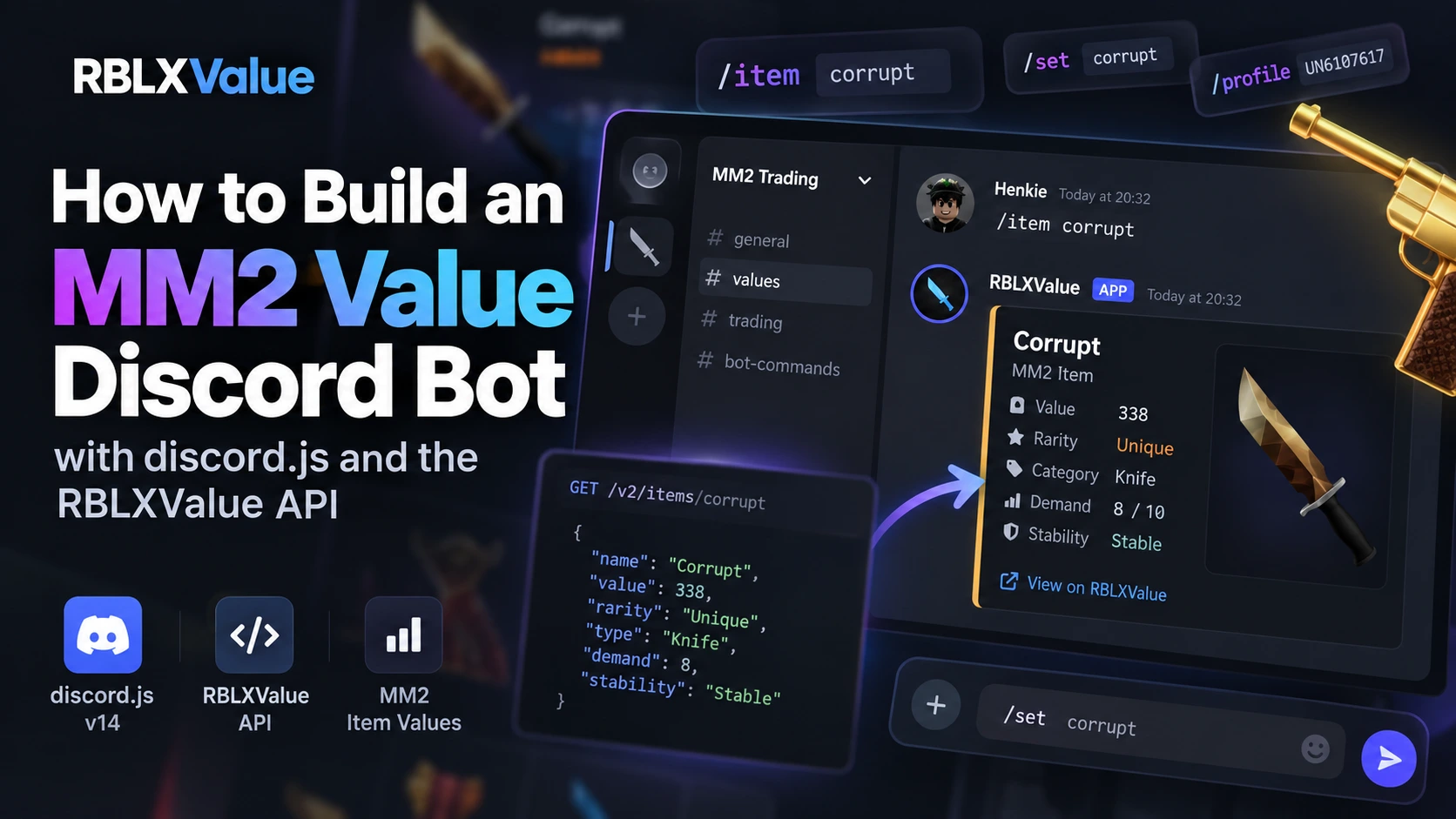
In this guide, you'll learn how to build an MM2 value bot with JavaScript and discord.js v14, retrieve MM2 data through the RBLXValue API, and add useful Discord commands such as /item, /set, and /profile.
If you want to skip straight to a working example, you can use the open-source MM2 Value Discord Bot or follow the official Discord bot example.
What You'll Build
By the end of this tutorial, you'll have the foundation for your own MM2 Discord bot with commands such as:
/item [name]- Look up an MM2 item and its value./set [name]- Look up an MM2 set and its total value./profile [username]- Look up a Roblox profile.
The bot uses the RBLXValue API as its data source, so you don't need to manually maintain MM2 values inside your Discord bot.
Why Use an MM2 API Instead of values.json?
A common way to start an MM2 value bot is by creating a local file containing values:
{
    "seer": 3,
    "luger": 18,
    "corrupt": 338
}
This might work for a small prototype, but it becomes difficult to maintain as your bot grows. Values can change and your local file has to be updated whenever the underlying MM2 data changes.
Using an MM2 values API means your bot can request the data when a Discord user runs a command:
Discord User
    ↓
/item corrupt
    ↓
Your Discord Bot
    ↓
RBLXValue API
    ↓
MM2 Item Data
    ↓
Discord Embed
This also gives you access to more than just a single value. RBLXValue API v2 provides endpoints for MM2 items, sets, value history, Roblox profiles and other data.
For a complete overview of the API, read RBLXValue API v2: MM2 Item Values & Developer API.
What You Need
Before building the bot, you'll need:
- Node.js
- A Discord application and bot
- discord.js v14
- A RBLXValue API key
- Basic JavaScript knowledge
1. Create Your Discord Bot
Start by creating an application in the Discord Developer Portal. Add a bot to the application and save your bot token somewhere secure.
You'll also need your application's Client ID. When inviting the bot to your Discord server, make sure the application has access to slash commands.
Your bot token should never be published or committed to GitHub.
2. Get a RBLXValue API Key
Your bot needs an API key to authenticate requests to RBLXValue API v2.
Store your credentials as environment variables instead of placing them directly inside your JavaScript files:
DISCORD_BOT_TOKEN=your_bot_token
DISCORD_CLIENT_ID=your_client_id
RBLXVALUE_API_KEY=your_api_key
RBLXValue API v2 uses the X-Api-Key header for authenticated requests.
3. Create the discord.js Project
Create a new directory and initialize a Node.js project:
mkdir mm2-value-bot
cd mm2-value-bot
npm init -y
npm install discord.js dotenv
A basic project can look like this:
mm2-value-bot/
├── bot.js
├── package.json
├── .env
└── .gitignore
Make sure .env is included in your .gitignore so your Discord token and RBLXValue API key aren't accidentally uploaded.
4. Connect Your Bot to the RBLXValue API
RBLXValue API v2 is available at:
https://api.rblxvalue.com/v2Requests requiring authentication include your API key using:
X-Api-Key: YOUR_API_KEYYour Discord bot can then request MM2 data whenever someone uses one of its commands.
5. Create an /item Command
The /item command is a good starting point for an MM2 value bot.
A Discord user could enter:
/item name: corruptYour bot sends the item lookup to RBLXValue and uses the returned data to create a Discord embed containing information about the item.
You can also support common MM2 trading acronyms, allowing users to search items without always entering their full names.
6. Add MM2 Set Values
Next, you can add a /set command:
/set name: corruptInstead of searching for each item individually, the bot can retrieve information about the complete MM2 set and display its items and total value.
This is especially useful for traders comparing complete sets.
7. Add Roblox Profiles
Your bot can also use RBLXValue's Roblox-related endpoints to provide profile information.
For example:
/profile username: UN6107617This allows you to expand your bot beyond basic MM2 value lookups and add additional Roblox functionality.
8. Handle API Errors
A production Discord bot should handle failed requests instead of crashing. Your bot should account for situations such as:
- An MM2 item or set doesn't exist.
- An invalid Roblox username was entered.
- The API key is missing or invalid.
- A rate limit has been reached.
- The API is temporarily unavailable.
For example, an unsuccessful item lookup could return a simple response:
❌ We couldn't find that MM2 item.
Try using the full item name or a supported acronym.
Use the Ready-to-Use MM2 Discord Bot
You don't have to start from an empty project. RBLXValue provides an open-source MM2 value Discord bot built with discord.js v14.
The example includes:
/itemitem lookups/setset lookups/profileRoblox profile lookups- RBLXValue API integration
- Discord embeds
- Environment variable configuration
- Error handling
View the MM2 Value Discord Bot on GitHub →
You can also read the complete setup instructions in the RBLXValue Discord Bot documentation.
Video Tutorial
Prefer following the setup visually? Watch the complete MM2 value Discord bot tutorial:
Watch the tutorial on YouTube →
What Can You Add Next?
Once your basic MM2 bot is working, you can expand it with additional features such as:
- MM2 value history
- Trade calculations
- Item value change notifications
- Favorite items
- Inventory lookups
- Custom server commands
Because your bot gets its MM2 data through the API, you can focus on building features instead of maintaining a large local values file.
Start Building Your Own MM2 Value Bot
Building your own MM2 value Discord bot doesn't require creating and constantly maintaining your own MM2 value database. With discord.js and the RBLXValue API, your bot can retrieve MM2 item and set data directly through an API.
You can build the project yourself using the API documentation, follow the step-by-step Discord bot example, or clone the open-source project and customize it for your own server.